A corrective action tracker keeps a finding connected to its owner, due date, action and closure evidence. The useful part is the distinction between “we did something” and “we checked that it addressed the problem”.
The free Excel template gives those steps separate fields. It includes a fictional reporting example and 50 prepared rows. Adapt the workflow to your own review process before using it for a formal audit programme.
In this guide
Preview the actual workbook
Fictional entries from the downloadable file. Open the image full-size to inspect the wide table.

What the tracker should record
| Field | Write this | Avoid this |
|---|---|---|
| Finding | What was observed, where and when | A broad label such as “poor controls” |
| Immediate correction | What fixes the identified instance | Treating the correction as proof that recurrence is prevented |
| Cause | The reason supported by your investigation | Blaming a person without examining the process |
| Corrective action | The change intended to address that cause | “Be more careful” |
| Owner and due date | Someone responsible and an agreed date | A team name with no accountable owner |
| Evidence reference | A retained record of the completed work | An unsupported “done” status |
| Verification | What was checked, by whom and with what result | Assuming that completion establishes effectiveness |
| Closure decision | The person, date and basis for closing | Closing automatically when the deadline passes |
The PSCI corrective action template is a useful industry example. It records responsibility, timing, verification and status for supplier audit actions. Our template uses a smaller general workflow and adds room to distinguish the correction from the proposed cause-based action. It is not a substitute for PSCI's own programme requirements.
A worked example: a missing electricity account
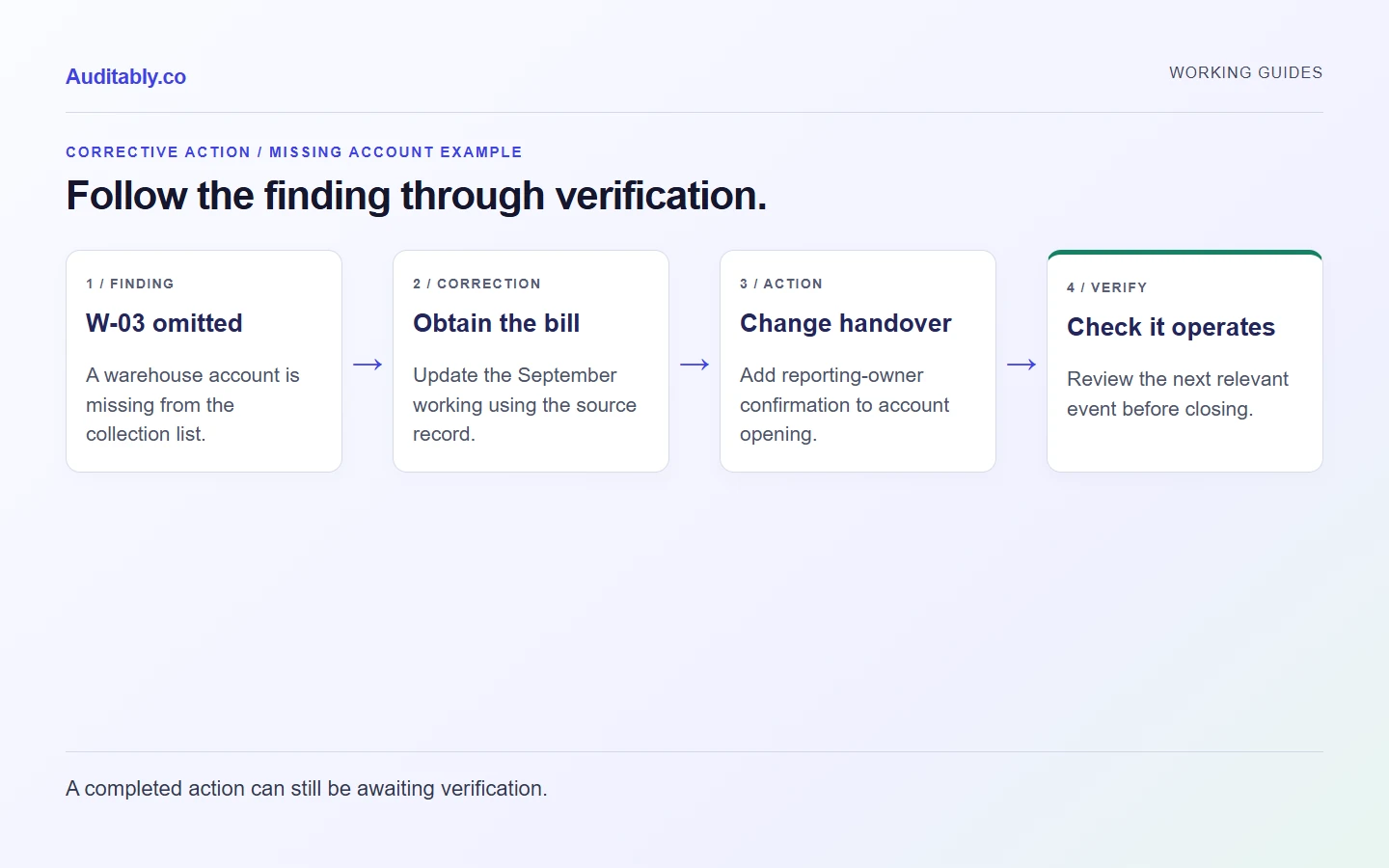
This example is fictional. A reporting team discovers that its September electricity file excludes a warehouse account opened in August.
| Stage | Example entry |
|---|---|
| Finding | Warehouse meter W-03 is absent from the September collection list |
| Correction | Obtain the omitted bill and update the September working |
| Cause under investigation | The site-opening process did not notify the reporting owner |
| Corrective action | Add reporting-owner confirmation to the account-opening checklist |
| Action evidence | Revised checklist CHK-08 v02 and retained handover record |
| Verification | Review the next relevant account-opening event and confirm the collection list was updated |
| Closure decision | Remain open until the agreed verification is complete |
The bill fixes the immediate omission. The checklist change addresses the proposed cause. A future check tests whether the revised process worked. If the investigation finds another cause, update the action rather than preserving a convenient initial explanation.
Use statuses that describe the next step
The workbook offers Open, Investigating, In progress, Awaiting verification, Closed and Reopened. These are suggested workflow labels, not audit severity ratings.
Set Awaiting verification when the owner has supplied completion evidence but the agreed check is still outstanding. A status of Closed should have a closure decision behind it. If the same problem appears again, preserve the original finding and record the new information rather than erasing the history.
The workbook's status dropdown does not enforce those decisions. It has no authenticated approval workflow. The responsible reviewer must check the evidence and complete the verification fields.
How to run a short action review
Before the meeting, filter the tracker for open items and read the evidence references. During the meeting, work through four questions:
- Has the observed problem been described precisely enough to investigate?
- Does the proposed action address the supported cause?
- What evidence will demonstrate completion?
- What result would justify closure, and who will check it?
If the owner needs more time, record the revised date and reason. Keep the original due date if it matters to your programme. Do not quietly move a deadline to make an overdue list look better.
Keep evidence usable after the action closes
A broken file link can make a closed item difficult to explain months later. Use a stable evidence ID and location, preserve the version reviewed, and check that the people responsible for later review can access it.
For actions affecting a published reporting figure, document which period and version changed. A completed operational action does not by itself approve a revised disclosure. Route that change through the appropriate reporting review.
The document register can hold the revised procedure. The risk and control matrix can identify the control that should prevent or detect the issue next time.
Where this template stops
This is a working record for a small team. It does not assign regulatory severity, certify compliance, conduct root-cause analysis or provide a full quality-management system. Those decisions depend on the process, evidence and obligations involved.
Prepared with AI assistance using the linked sources and original worked examples. Illustrative records are fictional. No customer results, independent specialist review or hands-on software testing are claimed.