A refrigerant record should connect the equipment, the service work and any refrigerant stock movements. Keeping those records together makes it easier to answer a reporting question later without reconstructing a year from contractor invoices.
The free Excel workbook has separate sheets for equipment, service events and cylinder movements. The examples are fictional. It is a record-collection aid, not a leak-rate calculator, servicing instruction or statutory compliance log.
In this guide
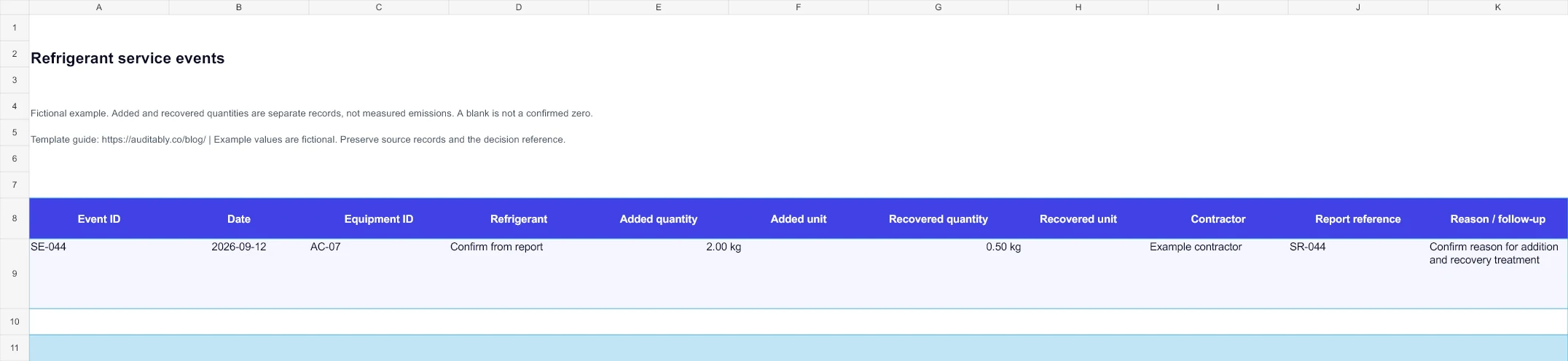
Preview the actual workbook
Fictional entries from the downloadable file. Open the image full-size to inspect the wide table.
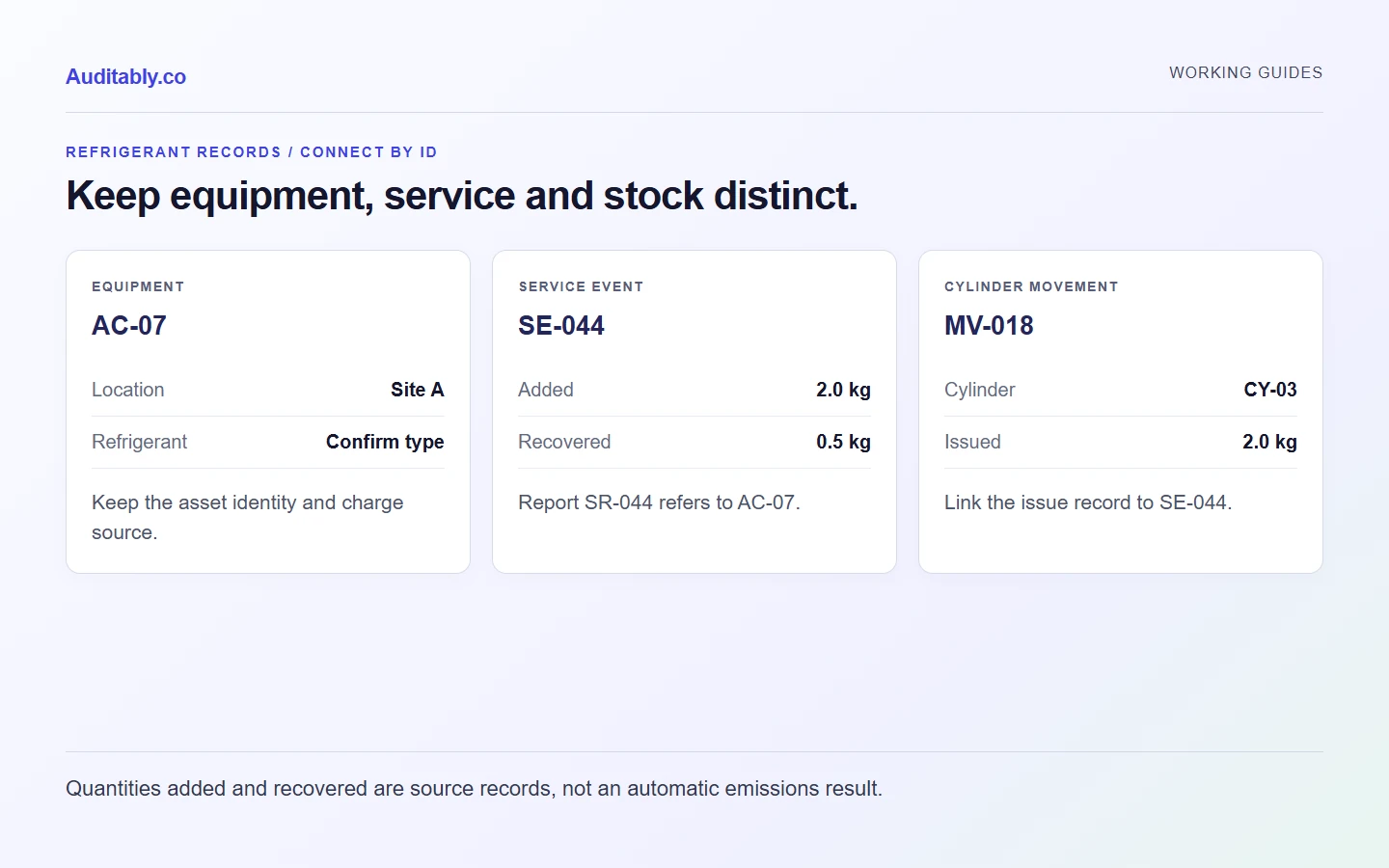
Keep three types of record separate
| Record | What one row represents | Useful fields |
|---|---|---|
| Equipment | One identified unit or system | Equipment ID, site, type, refrigerant, charge information and source reference |
| Service event | Work on an identified unit at a particular time | Event ID, date, equipment ID, additions, recoveries, units, contractor and report reference |
| Cylinder movement | One identified stock movement | Movement ID, date, cylinder ID, refrigerant, quantity, unit, movement type and document reference |
Use stable equipment IDs. “The freezer near the loading bay” can become ambiguous after equipment moves. Keep the manufacturer's or contractor's reference where available and record where the supporting information came from.
The GHG Protocol calculation-tools collection includes refrigeration and air-conditioning guidance. Select the appropriate calculation method before deciding which activity records it requires. The log helps collect records, but it does not select or execute that method.
A service entry is not automatically an emissions figure
Consider this fictional entry: on 12 September, contractor report SR-044 records 2.0 kg of refrigerant added to unit AC-07 and 0.5 kg recovered.
The useful starting point is to preserve those reported quantities as separate fields. Do not label 2.0 kg “emissions” simply because it was added during service. Do not automatically subtract the recovery and call the remaining 1.5 kg a measured leak. The event context and selected inventory method determine how the records contribute to an estimate.
| Item | Recorded value | Follow-up |
|---|---|---|
| Equipment | AC-07 | Confirm it matches the equipment register |
| Service report | SR-044 | Retain the contractor's original report |
| Refrigerant added | 2.0 kg | Confirm refrigerant type and reason for addition |
| Refrigerant recovered | 0.5 kg | Confirm treatment and supporting record |
| Emissions estimate | Not calculated in this log | Apply the documented inventory method separately |
Treat an unknown value as unknown. A blank recovery field does not establish that nothing was recovered. Use a comment or follow-up field to distinguish missing information from an explicit zero confirmed by the source.
How to use the workbook
Start with the Equipment sheet. List the units included in your reporting boundary and connect each to a site. Record the refrigerant identifier as stated in the source record. If a charge value is unknown, leave the numeric field blank and explain the gap.
Use the Service sheet for each event. Enter the equipment ID exactly as it appears in the register, then add quantities and units separately. Keep a source reference for the service report and any question awaiting the contractor.
Use the Cylinders sheet for movements you need to track under your chosen method. Do not mix purchases, transfers, returns and use into one unsigned quantity. Record the movement type, destination or source and supporting document. The workbook does not reconcile stock automatically.
Each sheet includes example entries and blank prepared rows. Replace the examples before live use. There are no macros, embedded factors or automatic carbon-equivalent calculations.
Questions to send to a contractor
Ask for the equipment identifier, event date, refrigerant type, quantities added or recovered with units, and the relevant service report. If a value is estimated, ask how it was estimated. If the equipment was installed, retired or transferred, request the records needed by your selected reporting method.
The document-request email templates can help keep the request short. Include specific missing fields rather than asking the contractor to “send all refrigerant data”.
Review the year before calculating
Compare the equipment list with the facilities register and investigate additions or retirements. Check that service events refer to known equipment. Review quantities for inconsistent units, duplicate reports and unresolved blanks. Preserve the original records alongside any corrections made to the collection sheet.
For a wider site-data handover, use the manufacturing data checklist. Once figures have been calculated, retain the method and relevant factor or GWP references with the working.
This workbook does not cover every jurisdiction's refrigerant recordkeeping requirements. Facilities teams should use the records and competent service providers required for their equipment and location.
Prepared with AI assistance using the linked sources and original worked examples. Illustrative records are fictional. No customer results, independent specialist review or hands-on software testing are claimed.