Version history keeps earlier states of a file. An audit log records supported events. An approval record captures a decision. These can work together, but opening one does not guarantee that you have the other two.
Excel and Microsoft 365 do have history features. The practical question is what your actual setup records, who can access it and whether it covers the period and decision you need to explain.
In this guide
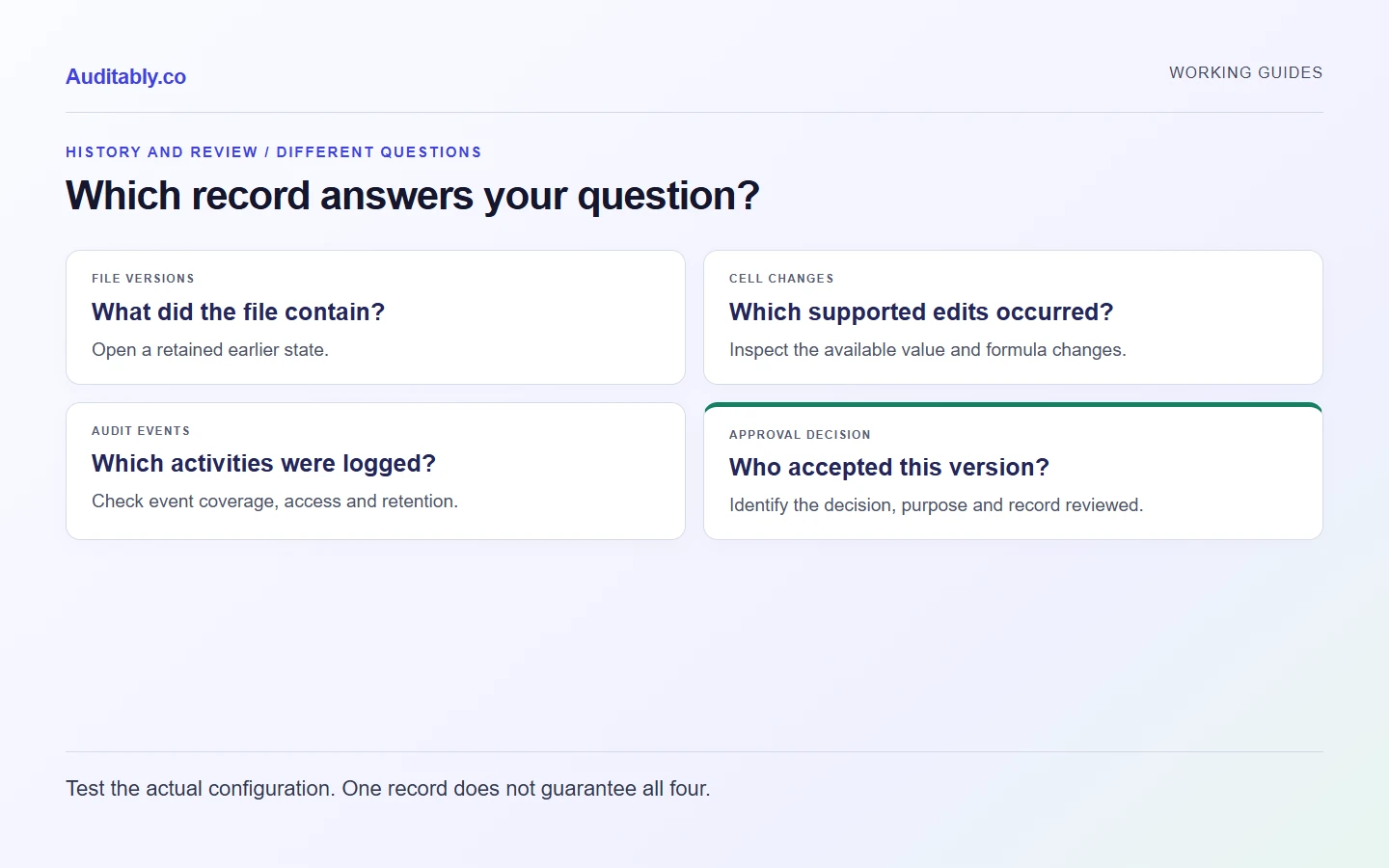
Four records that answer different questions
| Record | Useful question | What to check |
|---|---|---|
| File version history | What did this file look like earlier? | Which versions remain and whether you can open them |
| Cell-change history | Which supported cell values or formulas changed? | Supported apps, gaps and available earlier values |
| Service audit log | Which supported user or administrator events were recorded? | Subscription, permissions, event coverage and retention |
| Approval decision | Who accepted this figure or document for this purpose? | The decision, its scope and the exact version it covers |
The phrase “audit trail” is sometimes used for several of these records together. Define what you need rather than relying on the label in a product menu.
What SharePoint and OneDrive version history provide
Microsoft documents the ability to view or restore earlier file versions and see who changed a file and when. For supported Office documents, users can compare versions. That is meaningful history, not an absence of controls. See Microsoft's version-history overview.
A saved version does not automatically explain why a figure changed or whether a reviewer accepted it for publication. Those details may exist in a separate workflow, comment, review record or other system. Identify them and keep the relationship to the file clear.
What Excel Show Changes provides
Microsoft's Show Changes guidance describes tracking for supported changes to values and formulas. It also documents limits: some object, formatting and other actions are not shown; unsupported editing paths can affect the history; and earlier values are not available for every edit.
Check the apps your colleagues actually use. A successful test in Excel for the web does not prove that a different desktop editing path preserves the same record. Do not assume that a change pane is a permanent archive of every action.
Where Microsoft Purview fits
Microsoft Purview Audit records supported activities across Microsoft services. Available capabilities and retention depend on the subscription and relevant configuration. Appropriate permissions are needed to inspect the records.
A service event can help explain an action on a file. It does not necessarily contain the complete business explanation for a changed reporting figure. Ask your administrator which events are available and test retrieval before promising a reviewer a particular history.
A worked reporting example
Suppose a fictional electricity working changes from 12,000 kWh to 12,500 kWh because a replacement bill arrived.
| Question | Record to inspect |
|---|---|
| What was the earlier number? | Earlier workbook version or supported cell-change record |
| What supports the replacement? | Corrected bill and its relationship to the original |
| Why did the team change the working? | Method or change note linked to the replacement |
| Who reviewed the revised number? | Review decision identifying the revised working |
| Which version was released? | Release record or retained publication copy |
The example illustrates a review workflow. It is not a claim that Microsoft lacks the ability to configure one. A well-run Microsoft 365 process may meet a team's needs. The test is whether the complete record can be produced and understood.
Test your own setup with a disposable workbook
Create a small test workbook with fictional values. Save it in the location your team normally uses. Have two authorised colleagues make a simple value change and a formula change through their usual apps. Then inspect the available file versions and cell changes.
Separately record a review decision for one version. Check whether another colleague can identify that version and retrieve the supporting test record. Ask the administrator to confirm relevant audit-event access and retention. Do not change retention settings or delete history merely to run the test.
Write down what was observed, the app versions and configuration checked, and any unresolved question. Repeat the relevant checks when the process changes. Our downloadable checklist gives those observations a simple structure.
When an additional reporting workflow helps
If the team repeatedly loses the connection between a figure, its source and its approval, consider whether a dedicated workflow would reduce that gap. Start with the records you need and verify the product against them. Avoid choosing software solely because it advertises an “audit trail”.
Our spreadsheet controls guide explains how calculation and review can work together. The document register helps identify the current revision, while file naming makes the retained records easier to locate.
Prepared with AI assistance using the linked sources and original worked examples. Illustrative records are fictional. No customer results, independent specialist review or hands-on software testing are claimed.